Yep, we may get a tiny thank-you (read: commission) when you buy through
links on Gadgetspotr — not enough for a yacht, but enough to keep the lights (and
servers) on.
Learn more
13
Highlights
34
Differences
9
Reactions
0
Likes
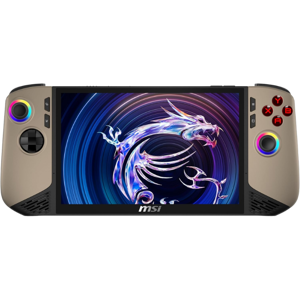
MSI Claw 8
vs
ASUS ROG Ally X:
13 Highlights & 34 Differences —
So, Which Handheld Console Actually Works Better
Learn which handheld gaming device keeps you playing longer. Battery life matters for continuous gaming fun.
What sets MSI Claw 8 apart from ASUS ROG Ally X? This handheld consoles face-off compares specs like color options, region compatibility, expandability & package depth and beyond.
MSI Claw 8 vs ASUS ROG Ally X: A Battle of Handheld Gaming Powerhouses
When it comes to handheld gaming devices for the serious gamer, the MSI Claw 8 and ASUS ROG Ally X stand out as two impressive contenders. Both systems are designed with hardcore gamers in mind, featuring high-end hardware, portability, and rich connectivity options. While they share elements like USB-C charging, HDR-capable screens, and support for multiplayer online gaming, they distinguish themselves in crucial areas such as display aspect ratio, CPU performance, battery life, and build quality. Whether you prioritize display sharpness and audio enhancement or raw processing power and extended playtime, these gaming handhelds each bring unique strengths to the table.
MSI Claw 8: Premium Display and Audio Excellence for Immersive Gaming
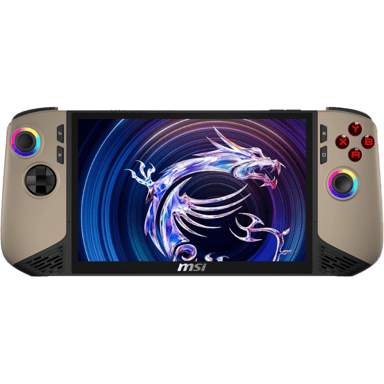
The MSI Claw 8 carves its niche with a 16:10 aspect ratio display, offering gamers a bit more vertical screen real estate compared to the traditional 16:9 standard on the ASUS ROG Ally X. Protected by durable tempered glass, the Claw 8's screen supports HDR and delivers high brightness, making visuals pop whether you're playing graphically intense titles or watching videos. This slightly wider screen is beneficial for productivity and gaming sessions that favor an extra viewing area.
Audio-wise, MSI ups the ante with hardware DSP enhancement, promising enriched sound clarity without compromising latency. Both handhelds share similar speaker power and headphone jack availability, but MSI's dedicated audio hardware gives it a subtle edge for audiophiles who appreciate immersive soundscapes.
Under the hood, the Claw 8 sports a robust CPU clock speed of 4.8 GHz and a mid-tier graphics performance tier, catering well to balanced gaming and performance demands. With options for balanced and performance modes, gamers can fine-tune their experience based on whether they want longevity or raw power.
One standout feature for MSI is its impressive standby battery life of up to 7 days, which is a plus for those who want their device ready after days away from use. The device's physical design is reinforced with a slightly sturdier and more premium build, including a hybrid D-Pad different from ASUS's cross-style. Though the Claw 8 carries more weight (1.75 lbs) and a bulkier form factor, this trade-off might be worth it for users who intend rugged durability and a richer viewing experience.
ASUS ROG Ally X: Performance Leader with Superior Portability and Security
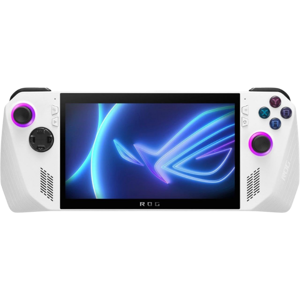
The ASUS ROG Ally X is tailored to those who prioritize high-tier graphics and the fastest CPU clock speed available on these handhelds, boasting a 5.1 GHz processor. This edge in raw compute power translates to smoother gameplay on demanding titles and better responsiveness overall. Furthermore, ASUS adds a power saving mode beyond the balanced and performance options found on the MSI Claw 8, enabling users to stretch playtime when needed.
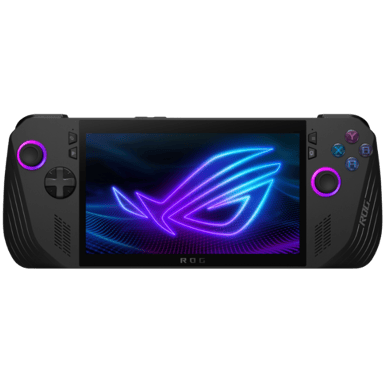
In terms of design, the ROG Ally X is noticeably lighter and more compact (lighter weight listed as 0 lbs in specs, but significantly less than MSI, and smaller physical dimensions), making it excellent for long gaming sessions on the go. Its screen sticks to the conventional 16:9 aspect ratio with Gorilla Glass protection, which offers great durability and color accuracy suitable for immersive play without the extra height of MSI's display.
Battery endurance is a strong suit here as well, with an average battery life of around 8 hours, which is notably longer than MSI's 4-6 hours in active use. Coupled with high-capacity batteries and USB-C charging, it ensures prolonged gaming marathons away from outlets.
Security-conscious gamers will appreciate the ROG Ally X's biometric user authentication, a step up from MSI's PIN-based system. This enhances privacy and makes logging in seamless and secure. ASUS also uses standard cross D-Pads preferred by many players and incorporates hall effect analog sticks, motion sensors, and gyroscope functions to ensure precise and responsive controls with low latency.
Quick Take
The MSI Claw 8 shines with its wider, tempered glass display and premium hardware audio DSP for gamers who value a visually rich and sonically enhanced experience. Meanwhile, the ASUS ROG Ally X wins points for its superior graphics performance, longer battery life, and biometric security, all wrapped in a lighter and more portable frame. Both devices have their advocates, but your choice depends largely on whether you emphasize display/image fidelity or peak gaming power and mobility.
Bottom Line
For users focused on a premium build, enhanced audio, and the extra productivity screen space, the MSI Claw 8 offers a robust, durable option, especially if standby battery life and display quality are paramount. However, if you want the fastest CPU speeds, better graphics performance, and a lightweight design that lasts longer on batteries, plus biometric security, the ASUS ROG Ally X commands a significant value advantage at nearly half the price. For most gamers, the Ally X's combination of power, portability, and price makes it the smarter overall pick.
Verdict
Winner: ASUS ROG Ally X - Delivers top-tier performance, longer battery life, better security features, and excellent portability at a compelling price point.
Runner-up: MSI Claw 8 - Offers a superior display aspect ratio, premium build quality, hardware audio DSP, and a longer standby battery, but at a heavier weight and a higher price.
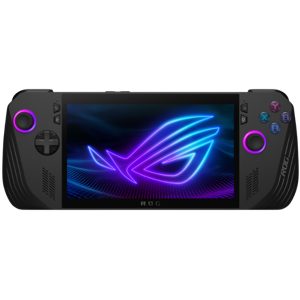
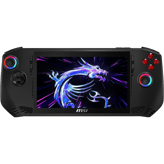
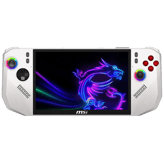
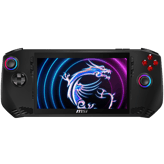
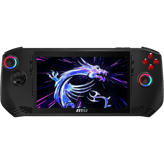
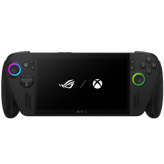
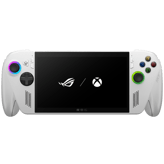
MSI Claw 8 comes in a sleek white finish, whereas ASUS ROG Ally X is available in classic black. Color choice affects personal aesthetics and visibility; white may show fingerprints more easily, black may appear more professional.
Indicates the available color variants.
In the battle of Color Options,
MSI Claw 8 ◉ is
same as
ASUS ROG Ally X ◉
.
Don’t keep it to yourself — be the first to react and review the
Color Options on MSI Claw 8 ◉
vs ASUS ROG Ally X ◉ and help others decide!
Shows if the system supports future expansion or upgrades.
In the battle of Expandability,
MSI Claw 8 ◉ is
same as
ASUS ROG Ally X ◉
.
Don’t keep it to yourself — be the first to react and review the
Expandability on MSI Claw 8 ◉
vs ASUS ROG Ally X ◉ and help others decide!
Release Year
What year was it released?
0
MSI Claw 8
0Votes
2025
0
ASUS ROG Ally X
0Votes
2024
vs
Release Year
The MSI Claw 8 was released in 2025, making it a year newer than the ASUS ROG Ally X from 2024. This could mean more up-to-date hardware, firmware, and feature improvements. Ideal for buyers seeking the latest handheld console innovations.
Shows the year the product was officially released.
In the battle of Release Year,
MSI Claw 8 ◉ is
same as
ASUS ROG Ally X ◉
.
Don’t keep it to yourself — be the first to react and review the
Release Year on MSI Claw 8 ◉
vs ASUS ROG Ally X ◉ and help others decide!
Operating System
What operating system does this handheld console use?
0
MSI Claw 8
0Votes
Windows
0
ASUS ROG Ally X
0Votes
Windows
Specifies the core operating system that runs the handheld console and determines software compatibility, ecosystem access, and update flexibility.
In the battle of Operating System,
MSI Claw 8 ◉ is
same as
ASUS ROG Ally X ◉
.
Don’t keep it to yourself — be the first to react and review the
Operating System on MSI Claw 8 ◉
vs ASUS ROG Ally X ◉ and help others decide!
Intended User
Who is this handheld intended for?
0
MSI Claw 8
0Votes
Hardcore Gamers
0
ASUS ROG Ally X
0Votes
Hardcore Gamers
Specifies the primary target audience for the device.
In the battle of Intended User,
MSI Claw 8 ◉ is
same as
ASUS ROG Ally X ◉
.
Don’t keep it to yourself — be the first to react and review the
Intended User on MSI Claw 8 ◉
vs ASUS ROG Ally X ◉ and help others decide!
Usage Mode
What usage modes are supported?
0
MSI Claw 8
0Votes
Handheld Only
0
ASUS ROG Ally X
0Votes
Handheld Only
Describes how the console is typically used.
In the battle of Usage Mode,
MSI Claw 8 ◉ is
same as
ASUS ROG Ally X ◉
.
Don’t keep it to yourself — be the first to react and review the
Usage Mode on MSI Claw 8 ◉
vs ASUS ROG Ally X ◉ and help others decide!
Primary Material
What is the primary material of the console body?
0
MSI Claw 8
0Votes
Plastic
0
ASUS ROG Ally X
0Votes
Plastic
Describes the main material used for the handheld console’s exterior housing, affecting durability, weight, and premium feel.
In the battle of Primary Material,
MSI Claw 8 ◉ is
same as
ASUS ROG Ally X ◉
.
Don’t keep it to yourself — be the first to react and review the
Primary Material on MSI Claw 8 ◉
vs ASUS ROG Ally X ◉ and help others decide!
Build Finish
What is the build finish?
0
MSI Claw 8
0Votes
Matte
0
ASUS ROG Ally X
0Votes
Matte
Describes the surface finish of the device.
In the battle of Build Finish,
MSI Claw 8 ◉ is
same as
ASUS ROG Ally X ◉
.
Don’t keep it to yourself — be the first to react and review the
Build Finish on MSI Claw 8 ◉
vs ASUS ROG Ally X ◉ and help others decide!
Ergonomic Design
Is the design ergonomic?
Yes
0Votes
MSI Claw 8
Yes
0Votes
ASUS ROG Ally X
vs
Ergonomic Design
Both are ergonomically designed, offering comfort for long handheld gaming sessions, with minor differences influenced by device dimensions.
Indicates whether the device is designed for comfortable long-term use.
In the battle of Ergonomic Design,
MSI Claw 8 ◉ is
same as
ASUS ROG Ally X ◉
.
Don’t keep it to yourself — be the first to react and review the
Ergonomic Design on MSI Claw 8 ◉
vs ASUS ROG Ally X ◉ and help others decide!
Portability Focus
Is portability a main focus?
Yes
0Votes
MSI Claw 8
Yes
0Votes
ASUS ROG Ally X
vs
Portability Focus
Both focus on portability, but MSI’s slightly larger size may feel bulkier in pockets or small bags, whereas ASUS could feel easier to carry for long commutes.
Shows whether portability is a key design priority.
In the battle of Portability Focus,
MSI Claw 8 ◉ is
same as
ASUS ROG Ally X ◉
.
Don’t keep it to yourself — be the first to react and review the
Portability Focus on MSI Claw 8 ◉
vs ASUS ROG Ally X ◉ and help others decide!
Durability Rating
What is the durability rating of the console?
0
MSI Claw 8
0Votes
High
0
ASUS ROG Ally X
0Votes
High
Indicates the overall resistance of the handheld console to drops, wear, and long-term usage stress.
In the battle of Durability Rating,
MSI Claw 8 ◉ is
same as
ASUS ROG Ally X ◉
.
Don’t keep it to yourself — be the first to react and review the
Durability Rating on MSI Claw 8 ◉
vs ASUS ROG Ally X ◉ and help others decide!
Repairability Level
How repairable is the device?
0
MSI Claw 8
0Votes
Medium
0
ASUS ROG Ally X
0Votes
Medium
Indicates how easy the device is to repair or service.
In the battle of Repairability Level,
MSI Claw 8 ◉ is
same as
ASUS ROG Ally X ◉
.
Don’t keep it to yourself — be the first to react and review the
Repairability Level on MSI Claw 8 ◉
vs ASUS ROG Ally X ◉ and help others decide!
Both have 4-inch (≈10.2 cm) package height; MSI’s other package dimensions are slightly larger, which may affect shipping or shelf space.
Height of the retail packaging.
In the battle of Package Height,
MSI Claw 8 ◉ is
same as
ASUS ROG Ally X ◉
, delivering
equal
4.00 inch
measurement.
Don’t keep it to yourself — be the first to react and review the
Package Height on MSI Claw 8 ◉
vs ASUS ROG Ally X ◉ and help others decide!
Width
What is the width of the console?
11.77
inch
0Votes
11.02
inch
0Votes
vs
Width
The MSI Claw 8 is slightly wider at 11.77 inches (≈29.9 cm) versus ASUS ROG Ally X at 11.02 inches (≈28 cm). This width difference may influence grip comfort and pocket or bag fit. MSI offers a broader hold.
Measures the horizontal size of the console from side to side.
In the battle of Width,
MSI Claw 8 ◉ is
worse than
ASUS ROG Ally X ◉
, delivering
higher
0.8 inch
measurement.
Don’t keep it to yourself — be the first to react and review the
Width on MSI Claw 8 ◉
vs ASUS ROG Ally X ◉ and help others decide!
Height
What is the height of the console?
0.94
inch
0Votes
0.97
inch
0Votes
vs
Height
MSI Claw 8 is marginally thinner at 0.94 inches (≈2.39 cm) versus ASUS ROG Ally X at 0.97 inches (≈2.46 cm). The slim difference is minor but contributes to portability and pocket storage.
Measures the vertical dimension of the handheld console.
In the battle of Height,
MSI Claw 8 ◉ is
better than
ASUS ROG Ally X ◉
, delivering
equal
0.94 inch
measurement.
Don’t keep it to yourself — be the first to react and review the
Height on MSI Claw 8 ◉
vs ASUS ROG Ally X ◉ and help others decide!
Package Width
What is the package width?
13.5
inch
0Votes
13
inch
0Votes
vs
Package Width
MSI’s packaging is 13.5 inches wide (≈34.3 cm), slightly larger than ASUS’s 13 inches (≈33 cm), which could influence shelf space, shipping size, and unboxing experience.
Width of the retail packaging.
In the battle of Package Width,
MSI Claw 8 ◉ is
worse than
ASUS ROG Ally X ◉
, delivering
higher
0.5 inch
measurement.
Don’t keep it to yourself — be the first to react and review the
Package Width on MSI Claw 8 ◉
vs ASUS ROG Ally X ◉ and help others decide!
Package Weight
What is the package weight?
4.5
lbs
0Votes
3.5
lbs
0Votes
vs
Package Weight
MSI Claw 8 package weighs 4.5 lbs (≈2.04 kg), heavier than ASUS’s 3.5 lbs (≈1.59 kg), potentially affecting shipping costs and portability out of the box.
Total weight including packaging and accessories.
In the battle of Package Weight,
MSI Claw 8 ◉ is
worse than
ASUS ROG Ally X ◉
, delivering
higher
1.0 lbs
measurement.
Don’t keep it to yourself — be the first to react and review the
Package Weight on MSI Claw 8 ◉
vs ASUS ROG Ally X ◉ and help others decide!
Depth
What is the depth of the console?
4.96
inch
0Votes
4.37
inch
0Votes
vs
Depth
MSI Claw 8 has a depth of 4.96 inches (≈12.6 cm) compared to ASUS ROG Ally X at 4.37 inches (≈11.1 cm). This affects overall bulk; Claw 8 feels thicker in hand, potentially offering better ergonomics for larger hands.
Measures the front-to-back thickness of the device.
In the battle of Depth,
MSI Claw 8 ◉ is
worse than
ASUS ROG Ally X ◉
, delivering
higher
0.6 inch
measurement.
Don’t keep it to yourself — be the first to react and review the
Depth on MSI Claw 8 ◉
vs ASUS ROG Ally X ◉ and help others decide!
Weight
How much does the console weigh?
1.75
lbs
0Votes
0
lbs
1Votes
vs
Weight
MSI Claw 8 weighs 1.75 lbs (≈0.79 kg), while ASUS ROG Ally X shows 0 lbs, indicating missing data, but likely lighter. MSI feels more substantial, which could impact long sessions; Ally X may be easier for handheld portability.
Indicates the overall weight of the device for portability.
In the battle of Weight,
MSI Claw 8 ◉ is
same as
ASUS ROG Ally X ◉
, delivering
equal
1.8 lbs
measurement.
Based on community votes for Weight,
MSI Claw 8 ◉ earned
0 votes,
less than
ASUS ROG Ally X ◉,
which got 1 votes.
The ASUS ROG Ally X weighs zero pounds according to specs which sounds off but lighter is better.
See more
Display & Visuals
14
Screen Size
What is the screen size?
8
inch
0Votes
7
inch
0Votes
vs
Screen Size
MSI Claw 8 has a larger 8-inch display versus ASUS ROG Ally X’s 7-inch screen. Larger screens enhance immersion, easier reading, and media enjoyment, but may slightly increase bulk. Better for gamers valuing screen real estate.
Indicates the diagonal size of the display.
In the battle of Screen Size,
MSI Claw 8 ◉ is
better than
ASUS ROG Ally X ◉
, delivering
higher
1.0 inch
measurement.
Don’t keep it to yourself — be the first to react and review the
Screen Size on MSI Claw 8 ◉
vs ASUS ROG Ally X ◉ and help others decide!
Refresh Rate
What is the refresh rate?
120
Hz
0Votes
120
Hz
0Votes
MSI Claw 8
The display's refresh rate is 120 Hz, ensuring smooth and fluid animations and gameplay.
ASUS ROG Ally X
Refresh rate is 120 Hz, which yields smoother motion and reduced perceived input latency compared with standard 60 Hz displays.
Indicates how many times the screen refreshes per second.
In the battle of Refresh Rate,
MSI Claw 8 ◉ is
same as
ASUS ROG Ally X ◉
, delivering
equal
120.00 Hz
measurement.
Don’t keep it to yourself — be the first to react and review the
Refresh Rate on MSI Claw 8 ◉
vs ASUS ROG Ally X ◉ and help others decide!
Aspect Ratio
What is the aspect ratio?
0
MSI Claw 8
0Votes
16:10
0
ASUS ROG Ally X
0Votes
16:9
vs
Aspect Ratio
MSI uses a 16:10 aspect ratio, providing extra vertical space for productivity and certain games, while ASUS sticks to 16:9, standard for videos. MSI offers slightly taller visuals, enhancing gameplay and browsing.
Describes the proportional relationship between width and height.
In the battle of Aspect Ratio,
MSI Claw 8 ◉ is
same as
ASUS ROG Ally X ◉
.
Don’t keep it to yourself — be the first to react and review the
Aspect Ratio on MSI Claw 8 ◉
vs ASUS ROG Ally X ◉ and help others decide!
Panel Protection
What type of panel protection does the display feature?
0
MSI Claw 8
1Votes
Tempered Glass
0
ASUS ROG Ally X
0Votes
Gorilla Glass
vs
Panel Protection
MSI Claw 8 uses tempered glass, while ASUS ROG Ally X employs Gorilla Glass. Gorilla Glass is generally more scratch and drop-resistant, giving ASUS an edge in rugged durability. MSI still provides solid protection but may be slightly less resilient.
Refers to protective layers applied to the display surface to prevent scratches and damage.
In the battle of Panel Protection,
MSI Claw 8 ◉ is
same as
ASUS ROG Ally X ◉
.
Based on community votes for Panel Protection,
MSI Claw 8 ◉ earned
1 votes,
more than
ASUS ROG Ally X ◉,
which got 0 votes.
Tempered glass on the MSI Claw 8 seems tougher than the Gorilla Glass on the ASUS.
See more
Screen Type
What type of screen does it use?
0
MSI Claw 8
0Votes
LCD
0
ASUS ROG Ally X
0Votes
LCD
Defines the underlying display panel technology.
In the battle of Screen Type,
MSI Claw 8 ◉ is
same as
ASUS ROG Ally X ◉
.
Don’t keep it to yourself — be the first to react and review the
Screen Type on MSI Claw 8 ◉
vs ASUS ROG Ally X ◉ and help others decide!
Resolution Width
What is the resolution width level?
0
MSI Claw 8
0Votes
High
0
ASUS ROG Ally X
0Votes
High
Categorizes the horizontal resolution clarity level of the display.
In the battle of Resolution Width,
MSI Claw 8 ◉ is
same as
ASUS ROG Ally X ◉
.
Don’t keep it to yourself — be the first to react and review the
Resolution Width on MSI Claw 8 ◉
vs ASUS ROG Ally X ◉ and help others decide!
Resolution Height
What is the resolution height level?
0
MSI Claw 8
0Votes
High
0
ASUS ROG Ally X
0Votes
High
Categorizes the vertical resolution clarity level of the display.
In the battle of Resolution Height,
MSI Claw 8 ◉ is
same as
ASUS ROG Ally X ◉
.
Don’t keep it to yourself — be the first to react and review the
Resolution Height on MSI Claw 8 ◉
vs ASUS ROG Ally X ◉ and help others decide!
Touchscreen
Does it support touchscreen input?
Yes
0Votes
MSI Claw 8
Yes
0Votes
ASUS ROG Ally X
Shows whether the display supports touch input.
In the battle of Touchscreen,
MSI Claw 8 ◉ is
same as
ASUS ROG Ally X ◉
.
Don’t keep it to yourself — be the first to react and review the
Touchscreen on MSI Claw 8 ◉
vs ASUS ROG Ally X ◉ and help others decide!
Brightness Level
How bright is the display?
0
MSI Claw 8
0Votes
High
0
ASUS ROG Ally X
0Votes
High
Describes the overall brightness capability of the display.
In the battle of Brightness Level,
MSI Claw 8 ◉ is
same as
ASUS ROG Ally X ◉
.
Don’t keep it to yourself — be the first to react and review the
Brightness Level on MSI Claw 8 ◉
vs ASUS ROG Ally X ◉ and help others decide!
Color Gamut
What color gamut does the display support?
0
MSI Claw 8
0Votes
DCI-P3
0
ASUS ROG Ally X
0Votes
sRGB
vs
Color Gamut
MSI Claw 8 supports DCI-P3 color, delivering richer, more cinematic colors, whereas ASUS ROG Ally X uses sRGB, which is more standard but less vibrant. MSI is ideal for gaming and media enthusiasts wanting deeper color fidelity.
Describes the range of colors the display is capable of reproducing.
In the battle of Color Gamut,
MSI Claw 8 ◉ is
same as
ASUS ROG Ally X ◉
.
Don’t keep it to yourself — be the first to react and review the
Color Gamut on MSI Claw 8 ◉
vs ASUS ROG Ally X ◉ and help others decide!
HDR
Does it support HDR?
Yes
0Votes
MSI Claw 8
Yes
0Votes
ASUS ROG Ally X
Indicates support for high dynamic range content.
In the battle of HDR,
MSI Claw 8 ◉ is
same as
ASUS ROG Ally X ◉
.
Don’t keep it to yourself — be the first to react and review the
HDR on MSI Claw 8 ◉
vs ASUS ROG Ally X ◉ and help others decide!
Bezel Size
How large are the bezels?
0
MSI Claw 8
0Votes
Thin
0
ASUS ROG Ally X
0Votes
Thin
Describes the thickness of the display borders.
In the battle of Bezel Size,
MSI Claw 8 ◉ is
same as
ASUS ROG Ally X ◉
.
Don’t keep it to yourself — be the first to react and review the
Bezel Size on MSI Claw 8 ◉
vs ASUS ROG Ally X ◉ and help others decide!
Anti-Glare Coating
Does it have anti-glare coating?
Yes
0Votes
MSI Claw 8
Yes
0Votes
ASUS ROG Ally X
Shows whether the screen reduces reflections.
In the battle of Anti-Glare Coating,
MSI Claw 8 ◉ is
same as
ASUS ROG Ally X ◉
.
Don’t keep it to yourself — be the first to react and review the
Anti-Glare Coating on MSI Claw 8 ◉
vs ASUS ROG Ally X ◉ and help others decide!
Variable Refresh Rate
Is variable refresh rate supported?
Yes
0Votes
MSI Claw 8
Yes
0Votes
ASUS ROG Ally X
Indicates dynamic adjustment of refresh rate for smoother visuals.
In the battle of Variable Refresh Rate,
MSI Claw 8 ◉ is
same as
ASUS ROG Ally X ◉
.
Don’t keep it to yourself — be the first to react and review the
Variable Refresh Rate on MSI Claw 8 ◉
vs ASUS ROG Ally X ◉ and help others decide!
MSI Claw 8 runs up to 4.8 GHz, while ASUS ROG Ally X reaches 5.1 GHz. The higher clock speed on ASUS can deliver faster CPU performance for demanding games, multitasking, or emulation workloads.
Shows the operating speed of the CPU.
In the battle of CPU Clock Speed,
MSI Claw 8 ◉ is
worse than
ASUS ROG Ally X ◉
, delivering
lower
0.3 GHz
measurement.
Based on community votes for CPU Clock Speed,
MSI Claw 8 ◉ earned
0 votes,
less than
ASUS ROG Ally X ◉,
which got 1 votes.
MSI Claw 8 lists high CPU cores, same as ASUS, but ASUS may have higher per-core performance in practice due to clock speed and architecture, impacting demanding multitasking.
Categorizes the CPU core count level for multitasking and performance.
In the battle of CPU Cores,
MSI Claw 8 ◉ is
same as
ASUS ROG Ally X ◉
.
Don’t keep it to yourself — be the first to react and review the
CPU Cores on MSI Claw 8 ◉
vs ASUS ROG Ally X ◉ and help others decide!
Categorizes built-in storage space for games and data.
In the battle of Internal Storage Capacity,
MSI Claw 8 ◉ is
same as
ASUS ROG Ally X ◉
.
Don’t keep it to yourself — be the first to react and review the
Internal Storage Capacity on MSI Claw 8 ◉
vs ASUS ROG Ally X ◉ and help others decide!
Memory Type
What type of memory does it use?
0
MSI Claw 8
0Votes
LPDDR5
0
ASUS ROG Ally X
0Votes
LPDDR5
MSI Claw 8
Memory type is LPDDR5, offering higher bandwidth and lower power consumption, boosting gaming and multitasking performance.
ASUS ROG Ally X
Memory type is LPDDR5, which offers higher bandwidth and lower power consumption compared with older LPDDR generations.
Specifies the type of memory technology used by the system.
In the battle of Memory Type,
MSI Claw 8 ◉ is
same as
ASUS ROG Ally X ◉
.
Don’t keep it to yourself — be the first to react and review the
Memory Type on MSI Claw 8 ◉
vs ASUS ROG Ally X ◉ and help others decide!
GPU Type
What type of gpu does it use?
0
MSI Claw 8
0Votes
Integrated
0
ASUS ROG Ally X
0Votes
Dedicated
vs
GPU Type
MSI Claw 8 has an integrated GPU, while ASUS ROG Ally X offers a dedicated GPU, translating into significantly better graphics performance, smoother framerates, and higher settings for AAA games. ASUS wins in visual performance.
Describes the type of graphics processor used for rendering visuals.
In the battle of GPU Type,
MSI Claw 8 ◉ is
same as
ASUS ROG Ally X ◉
.
Don’t keep it to yourself — be the first to react and review the
GPU Type on MSI Claw 8 ◉
vs ASUS ROG Ally X ◉ and help others decide!
System Stability Rating
How stable is the system?
0
MSI Claw 8
0Votes
High
0
ASUS ROG Ally X
0Votes
High
ASUS ROG Ally X
System stability is rated High, meaning the device is expected to run reliably with fewer crashes or instability during extended sessions.
Rates stability under sustained usage.
In the battle of System Stability Rating,
MSI Claw 8 ◉ is
same as
ASUS ROG Ally X ◉
.
Don’t keep it to yourself — be the first to react and review the
System Stability Rating on MSI Claw 8 ◉
vs ASUS ROG Ally X ◉ and help others decide!
Graphics Performance Tier
What is the graphics performance tier?
0
MSI Claw 8
0Votes
Mid
0
ASUS ROG Ally X
1Votes
High
vs
Graphics Performance Tier
MSI Claw 8 is mid-tier in graphics, whereas ASUS ROG Ally X is high-tier. This difference impacts frame rates, rendering, and overall visual fidelity. ASUS is more future-proof for graphically intensive games.
Categorizes overall graphical capability.
In the battle of Graphics Performance Tier,
MSI Claw 8 ◉ is
same as
ASUS ROG Ally X ◉
.
Based on community votes for Graphics Performance Tier,
MSI Claw 8 ◉ earned
0 votes,
less than
ASUS ROG Ally X ◉,
which got 1 votes.
The ASUS ROG Ally X has a higher graphics performance tier so I'm leaning towards it for gaming.
See more
Processor Type
What processor type does it use?
0
MSI Claw 8
0Votes
x86
0
ASUS ROG Ally X
0Votes
x86
Identifies the processor architecture used by the handheld console.
In the battle of Processor Type,
MSI Claw 8 ◉ is
same as
ASUS ROG Ally X ◉
.
Don’t keep it to yourself — be the first to react and review the
Processor Type on MSI Claw 8 ◉
vs ASUS ROG Ally X ◉ and help others decide!
System Memory Capacity
How much system memory is available?
0
MSI Claw 8
0Votes
High
0
ASUS ROG Ally X
0Votes
High
Categorizes available system memory for games and applications.
In the battle of System Memory Capacity,
MSI Claw 8 ◉ is
same as
ASUS ROG Ally X ◉
.
Don’t keep it to yourself — be the first to react and review the
System Memory Capacity on MSI Claw 8 ◉
vs ASUS ROG Ally X ◉ and help others decide!
Storage Type
What type of storage does it use?
0
MSI Claw 8
0Votes
SSD
0
ASUS ROG Ally X
0Votes
NVMe
vs
Storage Type
MSI Claw 8 uses a standard SSD, while ASUS ROG Ally X utilizes faster NVMe storage, meaning quicker load times, faster game installation, and improved system responsiveness. NVMe is superior for speed-focused users.
Describes the internal storage technology.
In the battle of Storage Type,
MSI Claw 8 ◉ is
same as
ASUS ROG Ally X ◉
.
Don’t keep it to yourself — be the first to react and review the
Storage Type on MSI Claw 8 ◉
vs ASUS ROG Ally X ◉ and help others decide!
Expandable Storage Type
What expandable storage type is supported?
0
MSI Claw 8
0Votes
microSD
0
ASUS ROG Ally X
0Votes
microSDXC
vs
Expandable Storage Type
MSI accepts microSD cards, while ASUS supports microSDXC, which allows larger capacity cards over 2TB, providing better long-term storage scalability for games and media.
Indicates supported expandable storage formats.
In the battle of Expandable Storage Type,
MSI Claw 8 ◉ is
same as
ASUS ROG Ally X ◉
.
Don’t keep it to yourself — be the first to react and review the
Expandable Storage Type on MSI Claw 8 ◉
vs ASUS ROG Ally X ◉ and help others decide!
Cooling Method
What cooling method is used?
0
MSI Claw 8
0Votes
Active
0
ASUS ROG Ally X
0Votes
Active
Describes how heat is managed internally.
In the battle of Cooling Method,
MSI Claw 8 ◉ is
same as
ASUS ROG Ally X ◉
.
Don’t keep it to yourself — be the first to react and review the
Cooling Method on MSI Claw 8 ◉
vs ASUS ROG Ally X ◉ and help others decide!
Thermal Design Rating
How strong is the thermal design?
0
MSI Claw 8
0Votes
High
0
ASUS ROG Ally X
0Votes
High
Indicates thermal tolerance under load.
In the battle of Thermal Design Rating,
MSI Claw 8 ◉ is
same as
ASUS ROG Ally X ◉
.
Don’t keep it to yourself — be the first to react and review the
Thermal Design Rating on MSI Claw 8 ◉
vs ASUS ROG Ally X ◉ and help others decide!
Performance Modes
What performance modes are available?
0
MSI Claw 8
0Votes
Balanced, Performance
0
ASUS ROG Ally X
0Votes
Power Saving, Balanced, Performance
vs
Performance Modes
MSI offers Balanced and Performance modes, whereas ASUS includes Power Saving, Balanced, and Performance modes. ASUS gives more control over battery life, thermal output, and performance optimization.
Defines selectable system performance profiles.
In the battle of Performance Modes,
MSI Claw 8 ◉ is
same as
ASUS ROG Ally X ◉
.
Don’t keep it to yourself — be the first to react and review the
Performance Modes on MSI Claw 8 ◉
vs ASUS ROG Ally X ◉ and help others decide!
Multitasking
Does it support multitasking?
Yes
0Votes
MSI Claw 8
Yes
0Votes
ASUS ROG Ally X
Indicates ability to run multiple tasks smoothly.
In the battle of Multitasking,
MSI Claw 8 ◉ is
same as
ASUS ROG Ally X ◉
.
Don’t keep it to yourself — be the first to react and review the
Multitasking on MSI Claw 8 ◉
vs ASUS ROG Ally X ◉ and help others decide!
Boot Time
How fast is the boot time?
0
MSI Claw 8
0Votes
Fast
0
ASUS ROG Ally X
0Votes
Fast
Describes how quickly the system starts up from power on.
In the battle of Boot Time,
MSI Claw 8 ◉ is
same as
ASUS ROG Ally X ◉
.
Don’t keep it to yourself — be the first to react and review the
Boot Time on MSI Claw 8 ◉
vs ASUS ROG Ally X ◉ and help others decide!
Load Time Optimization
Are load times optimized?
Yes
0Votes
MSI Claw 8
Yes
0Votes
ASUS ROG Ally X
Indicates optimizations for faster game loading.
In the battle of Load Time Optimization,
MSI Claw 8 ◉ is
same as
ASUS ROG Ally X ◉
.
Don’t keep it to yourself — be the first to react and review the
Load Time Optimization on MSI Claw 8 ◉
vs ASUS ROG Ally X ◉ and help others decide!
Hardware Acceleration
Is hardware acceleration supported?
Yes
0Votes
MSI Claw 8
Yes
0Votes
ASUS ROG Ally X
Shows support for hardware-level performance boosts.
In the battle of Hardware Acceleration,
MSI Claw 8 ◉ is
same as
ASUS ROG Ally X ◉
.
Don’t keep it to yourself — be the first to react and review the
Hardware Acceleration on MSI Claw 8 ◉
vs ASUS ROG Ally X ◉ and help others decide!
Both have low latency, ensuring responsive gameplay, critical for fast-paced or competitive gaming.
Rates responsiveness of control input.
In the battle of Input Latency Rating,
MSI Claw 8 ◉ is
same as
ASUS ROG Ally X ◉
.
Don’t keep it to yourself — be the first to react and review the
Input Latency Rating on MSI Claw 8 ◉
vs ASUS ROG Ally X ◉ and help others decide!
Trigger Type
What type of triggers are included?
0
MSI Claw 8
0Votes
Analog
0
ASUS ROG Ally X
0Votes
Analog
MSI Claw 8
Analog trigger buttons provide variable input sensitivity, useful for nuanced control in racing or shooting games.
ASUS ROG Ally X
Trigger type is Analog, allowing for variable input sensitivity useful in racing or shooting games where pressure sensitivity matters.
Indicates whether triggers are pressure-sensitive.
In the battle of Trigger Type,
MSI Claw 8 ◉ is
same as
ASUS ROG Ally X ◉
.
Don’t keep it to yourself — be the first to react and review the
Trigger Type on MSI Claw 8 ◉
vs ASUS ROG Ally X ◉ and help others decide!
Analog Stick Technology
What analog stick technology is used?
0
MSI Claw 8
0Votes
Hall Effect
0
ASUS ROG Ally X
0Votes
Hall Effect
MSI Claw 8
Analog stick technology uses Hall Effect sensors, which provide accurate, wear-resistant input detection.
Describes the underlying technology used in analog sticks, affecting accuracy, durability, and drift resistance.
In the battle of Analog Stick Technology,
MSI Claw 8 ◉ is
same as
ASUS ROG Ally X ◉
.
Don’t keep it to yourself — be the first to react and review the
Analog Stick Technology on MSI Claw 8 ◉
vs ASUS ROG Ally X ◉ and help others decide!
Button Count
How many buttons does it have?
0
MSI Claw 8
0Votes
10
0
ASUS ROG Ally X
0Votes
17
vs
Button Count
MSI Claw 8 has 10 buttons versus ASUS’s 17 buttons, meaning ASUS offers more dedicated controls, shortcuts, and gameplay versatility, ideal for complex games or customizable setups.
Total number of physical buttons on the device.
In the battle of Button Count,
MSI Claw 8 ◉ is
same as
ASUS ROG Ally X ◉
.
Don’t keep it to yourself — be the first to react and review the
Button Count on MSI Claw 8 ◉
vs ASUS ROG Ally X ◉ and help others decide!
Haptic Feedback
Does it support haptic feedback?
Yes
0Votes
MSI Claw 8
Yes
0Votes
ASUS ROG Ally X
ASUS ROG Ally X
Provides haptic feedback to enhance tactile immersion by giving physical response to in-game events.
This can improve directional awareness and make interactions feel more satisfying.
Shows whether advanced vibration feedback is supported.
In the battle of Haptic Feedback,
MSI Claw 8 ◉ is
same as
ASUS ROG Ally X ◉
.
Don’t keep it to yourself — be the first to react and review the
Haptic Feedback on MSI Claw 8 ◉
vs ASUS ROG Ally X ◉ and help others decide!
Macro
Are macros supported?
Yes
0Votes
MSI Claw 8
Yes
0Votes
ASUS ROG Ally X
ASUS ROG Ally X
Macro support is available, allowing players to program sequences of inputs to a single control for convenience or accessibility.
Useful for complex or repetitive in-game actions.
Indicates whether custom macros can be assigned.
In the battle of Macro,
MSI Claw 8 ◉ is
same as
ASUS ROG Ally X ◉
.
Don’t keep it to yourself — be the first to react and review the
Macro on MSI Claw 8 ◉
vs ASUS ROG Ally X ◉ and help others decide!
Accessibility Controls
Are accessibility controls available?
Yes
0Votes
MSI Claw 8
Yes
0Votes
ASUS ROG Ally X
ASUS ROG Ally X
Includes accessibility controls to adjust inputs, remap buttons, or change display and audio settings for different needs.
These options make the device more usable for players with varying abilities.
Indicates support for accessibility-focused input options.
In the battle of Accessibility Controls,
MSI Claw 8 ◉ is
same as
ASUS ROG Ally X ◉
.
Don’t keep it to yourself — be the first to react and review the
Accessibility Controls on MSI Claw 8 ◉
vs ASUS ROG Ally X ◉ and help others decide!
Control Layout Type
What control layout does it use?
0
MSI Claw 8
0Votes
Symmetrical
0
ASUS ROG Ally X
0Votes
Symmetrical
Defines the overall arrangement of controls.
In the battle of Control Layout Type,
MSI Claw 8 ◉ is
same as
ASUS ROG Ally X ◉
.
Don’t keep it to yourself — be the first to react and review the
Control Layout Type on MSI Claw 8 ◉
vs ASUS ROG Ally X ◉ and help others decide!
Analog Stick Count
How many analog sticks are included?
0
MSI Claw 8
0Votes
2
0
ASUS ROG Ally X
0Votes
2
vs
Analog Stick Count
Both devices have 2 analog sticks, providing standard control setup for modern gaming without impacting preference.
Indicates the number of analog sticks available.
In the battle of Analog Stick Count,
MSI Claw 8 ◉ is
same as
ASUS ROG Ally X ◉
.
Don’t keep it to yourself — be the first to react and review the
Analog Stick Count on MSI Claw 8 ◉
vs ASUS ROG Ally X ◉ and help others decide!
Button Type
What type of buttons are used?
0
MSI Claw 8
0Votes
Mechanical
0
ASUS ROG Ally X
0Votes
Mechanical
Specifies the button actuation style.
In the battle of Button Type,
MSI Claw 8 ◉ is
same as
ASUS ROG Ally X ◉
.
Don’t keep it to yourself — be the first to react and review the
Button Type on MSI Claw 8 ◉
vs ASUS ROG Ally X ◉ and help others decide!
Motion Sensor
Are motion sensors supported?
Yes
0Votes
MSI Claw 8
Yes
0Votes
ASUS ROG Ally X
Indicates support for motion-based input.
In the battle of Motion Sensor,
MSI Claw 8 ◉ is
same as
ASUS ROG Ally X ◉
.
Don’t keep it to yourself — be the first to react and review the
Motion Sensor on MSI Claw 8 ◉
vs ASUS ROG Ally X ◉ and help others decide!
Accelerometer
Is an accelerometer included?
Yes
0Votes
MSI Claw 8
Yes
0Votes
ASUS ROG Ally X
Indicates presence of an accelerometer sensor.
In the battle of Accelerometer,
MSI Claw 8 ◉ is
same as
ASUS ROG Ally X ◉
.
Don’t keep it to yourself — be the first to react and review the
Accelerometer on MSI Claw 8 ◉
vs ASUS ROG Ally X ◉ and help others decide!
Touch Input Type
What type of touch input is used?
0
MSI Claw 8
0Votes
Capacitive
0
ASUS ROG Ally X
0Votes
Capacitive
Describes the touchscreen input technology.
In the battle of Touch Input Type,
MSI Claw 8 ◉ is
same as
ASUS ROG Ally X ◉
.
Don’t keep it to yourself — be the first to react and review the
Touch Input Type on MSI Claw 8 ◉
vs ASUS ROG Ally X ◉ and help others decide!
Remappable Controls
Are controls remappable?
Yes
0Votes
MSI Claw 8
Yes
0Votes
ASUS ROG Ally X
Shows whether button mapping can be customized.
In the battle of Remappable Controls,
MSI Claw 8 ◉ is
same as
ASUS ROG Ally X ◉
.
Don’t keep it to yourself — be the first to react and review the
Remappable Controls on MSI Claw 8 ◉
vs ASUS ROG Ally X ◉ and help others decide!
MSI Claw 8 uses hardware DSP, providing consistent audio processing, while ASUS ROG Ally X relies on software enhancements, which may vary with updates. MSI offers predictable sound quality out-of-the-box.
Refers to technologies used to improve sound quality, clarity, or spatial effects.
In the battle of Audio Enhancement Technology,
MSI Claw 8 ◉ is
same as
ASUS ROG Ally X ◉
.
Based on community votes for Audio Enhancement Technology,
MSI Claw 8 ◉ earned
1 votes,
more than
ASUS ROG Ally X ◉,
which got 0 votes.
In the battle of Wireless Audio,
MSI Claw 8 ◉ is
same as
ASUS ROG Ally X ◉
.
Don’t keep it to yourself — be the first to react and review the
Wireless Audio on MSI Claw 8 ◉
vs ASUS ROG Ally X ◉ and help others decide!
Speaker Power Output
How powerful are the speakers?
2
Watt
0Votes
2
Watt
0Votes
MSI Claw 8
The built-in speakers output power of 2 Watt, which is sufficient for clear audio in handheld situations.
Indicates the loudness capability of the built-in speakers.
In the battle of Speaker Power Output,
MSI Claw 8 ◉ is
same as
ASUS ROG Ally X ◉
, delivering
equal
2.00 Watt
measurement.
Don’t keep it to yourself — be the first to react and review the
Speaker Power Output on MSI Claw 8 ◉
vs ASUS ROG Ally X ◉ and help others decide!
Audio Codec
Which audio codecs are supported?
0
MSI Claw 8
0Votes
SBC, AAC, aptX, LDAC
0
ASUS ROG Ally X
0Votes
SBC, AAC, aptX, LDAC
MSI Claw 8
Supported audio codecs include SBC, AAC, aptX, and LDAC, covering a wide range of Bluetooth audio quality tiers.
Indicates supported audio codecs for wired or wireless audio transmission.
In the battle of Audio Codec,
MSI Claw 8 ◉ is
same as
ASUS ROG Ally X ◉
.
Don’t keep it to yourself — be the first to react and review the
Audio Codec on MSI Claw 8 ◉
vs ASUS ROG Ally X ◉ and help others decide!
Surround Sound
Is surround sound supported?
Yes
0Votes
MSI Claw 8
Yes
0Votes
ASUS ROG Ally X
ASUS ROG Ally X
Supports surround sound, which may be implemented via multi-channel output or virtualized audio processing for a wider soundstage.
Indicates support for virtual or spatial surround sound.
In the battle of Surround Sound,
MSI Claw 8 ◉ is
same as
ASUS ROG Ally X ◉
.
Don’t keep it to yourself — be the first to react and review the
Surround Sound on MSI Claw 8 ◉
vs ASUS ROG Ally X ◉ and help others decide!
Speaker Configuration
What is the speaker configuration?
0
MSI Claw 8
0Votes
Stereo
0
ASUS ROG Ally X
0Votes
Stereo
Describes the number and arrangement of built-in speakers.
In the battle of Speaker Configuration,
MSI Claw 8 ◉ is
same as
ASUS ROG Ally X ◉
.
Don’t keep it to yourself — be the first to react and review the
Speaker Configuration on MSI Claw 8 ◉
vs ASUS ROG Ally X ◉ and help others decide!
Microphone Type
What type of microphone is included?
0
MSI Claw 8
0Votes
Built-in
0
ASUS ROG Ally X
0Votes
Dual
vs
Microphone Type
MSI has a built-in microphone, whereas ASUS features dual microphones, likely offering clearer voice capture and better noise suppression for chat and streaming.
Describes the microphone configuration used for voice input.
In the battle of Microphone Type,
MSI Claw 8 ◉ is
same as
ASUS ROG Ally X ◉
.
Don’t keep it to yourself — be the first to react and review the
Microphone Type on MSI Claw 8 ◉
vs ASUS ROG Ally X ◉ and help others decide!
Microphone Noise Cancellation
Is noise cancellation supported?
Yes
0Votes
MSI Claw 8
Yes
0Votes
ASUS ROG Ally X
Indicates whether background noise is reduced during voice input.
In the battle of Microphone Noise Cancellation,
MSI Claw 8 ◉ is
same as
ASUS ROG Ally X ◉
.
Don’t keep it to yourself — be the first to react and review the
Microphone Noise Cancellation on MSI Claw 8 ◉
vs ASUS ROG Ally X ◉ and help others decide!
Audio Latency
How low is the audio latency?
0
MSI Claw 8
0Votes
Low
0
ASUS ROG Ally X
0Votes
Low
Categorizes the delay between audio output and on-screen action.
In the battle of Audio Latency,
MSI Claw 8 ◉ is
same as
ASUS ROG Ally X ◉
.
Don’t keep it to yourself — be the first to react and review the
Audio Latency on MSI Claw 8 ◉
vs ASUS ROG Ally X ◉ and help others decide!
MSI Claw 8 averages 4–6 hours, whereas ASUS ROG Ally X lasts around 8 hours. ASUS provides nearly double runtime, which is crucial for long gaming sessions or travel without charging.
Average runtime under mixed usage conditions.
In the battle of Average Battery Life,
MSI Claw 8 ◉ is
same as
ASUS ROG Ally X ◉
.
Based on community votes for Average Battery Life,
MSI Claw 8 ◉ earned
0 votes,
less than
ASUS ROG Ally X ◉,
which got 1 votes.
Rated power draw is 65 Watt, which indicates the typical maximum power the device requires under heavy load.
Plan for this when choosing chargers or power sources to ensure stable performance during intensive use.
Measures average power draw during operation.
In the battle of Power Consumption,
MSI Claw 8 ◉ is
same as
ASUS ROG Ally X ◉
, delivering
equal
65.00 Watt
measurement.
Don’t keep it to yourself — be the first to react and review the
Power Consumption on MSI Claw 8 ◉
vs ASUS ROG Ally X ◉ and help others decide!
Gaming Battery Life
How long does it last while gaming?
0
MSI Claw 8
0Votes
2-3 hours
0
ASUS ROG Ally X
0Votes
3 hours
vs
Gaming Battery Life
MSI runs 2–3 hours for gaming, while ASUS achieves about 3 hours. ASUS offers slightly longer continuous playtime, making it more convenient for extended handheld gaming sessions.
Runtime specifically during active gaming sessions.
In the battle of Gaming Battery Life,
MSI Claw 8 ◉ is
same as
ASUS ROG Ally X ◉
.
Don’t keep it to yourself — be the first to react and review the
Gaming Battery Life on MSI Claw 8 ◉
vs ASUS ROG Ally X ◉ and help others decide!
Charging Time
How long does it take to charge?
0
MSI Claw 8
0Votes
1.5-2 hours
0
ASUS ROG Ally X
0Votes
1 hour
vs
Charging Time
MSI Claw 8 charges in 1.5–2 hours, while ASUS charges faster in about 1 hour, reducing downtime and getting users back into gameplay quicker.
Time required to fully charge the battery.
In the battle of Charging Time,
MSI Claw 8 ◉ is
same as
ASUS ROG Ally X ◉
.
Don’t keep it to yourself — be the first to react and review the
Charging Time on MSI Claw 8 ◉
vs ASUS ROG Ally X ◉ and help others decide!
Video Playback Battery Life
How long does it last during video playback?
0
MSI Claw 8
0Votes
7-8 hours
0
ASUS ROG Ally X
0Votes
10 hours
vs
Video Playback Battery Life
MSI Claw 8 lasts 7–8 hours for video playback, while ASUS ROG Ally X achieves 10 hours. ASUS provides more uninterrupted media consumption, ideal for movies or streaming.
Battery duration when playing video content.
In the battle of Video Playback Battery Life,
MSI Claw 8 ◉ is
same as
ASUS ROG Ally X ◉
.
Don’t keep it to yourself — be the first to react and review the
Video Playback Battery Life on MSI Claw 8 ◉
vs ASUS ROG Ally X ◉ and help others decide!
Replaceable Battery
Is the battery replaceable?
No
0Votes
MSI Claw 8
No
0Votes
ASUS ROG Ally X
ASUS ROG Ally X
The battery is not user-replaceable, which means servicing or battery swaps will generally require manufacturer support or a repair service.
This design can help with compactness but limits easy field swaps.
Indicates whether the battery can be user-replaced.
In the battle of Replaceable Battery,
MSI Claw 8 ◉ is
same as
ASUS ROG Ally X ◉
.
Don’t keep it to yourself — be the first to react and review the
Replaceable Battery on MSI Claw 8 ◉
vs ASUS ROG Ally X ◉ and help others decide!
Battery Type
What type of battery does it use?
0
MSI Claw 8
0Votes
Lithium-Ion
0
ASUS ROG Ally X
0Votes
Lithium-Ion
Specifies the chemistry of the internal battery.
In the battle of Battery Type,
MSI Claw 8 ◉ is
same as
ASUS ROG Ally X ◉
.
Don’t keep it to yourself — be the first to react and review the
Battery Type on MSI Claw 8 ◉
vs ASUS ROG Ally X ◉ and help others decide!
Battery Capacity
What is the battery capacity level?
0
MSI Claw 8
0Votes
High
0
ASUS ROG Ally X
0Votes
High
Categorizes the overall battery size affecting usage duration.
In the battle of Battery Capacity,
MSI Claw 8 ◉ is
same as
ASUS ROG Ally X ◉
.
Don’t keep it to yourself — be the first to react and review the
Battery Capacity on MSI Claw 8 ◉
vs ASUS ROG Ally X ◉ and help others decide!
Standby Battery Life
How long does it last in standby?
0
MSI Claw 8
0Votes
Up to 7 days
Who knows?
0Votes
ASUS ROG Ally X
(Help us out by suggesting one!)
Time the device can remain powered on in standby.
Don’t keep it to yourself — be the first to react and review the
Standby Battery Life on MSI Claw 8 ◉
vs ASUS ROG Ally X ◉ and help others decide!
Charging Method
How is the device charged?
0
MSI Claw 8
0Votes
Wired
0
ASUS ROG Ally X
0Votes
Wired
Describes how the device is charged.
In the battle of Charging Method,
MSI Claw 8 ◉ is
same as
ASUS ROG Ally X ◉
.
Don’t keep it to yourself — be the first to react and review the
Charging Method on MSI Claw 8 ◉
vs ASUS ROG Ally X ◉ and help others decide!
Fast Charging
Does it support fast charging?
Yes
0Votes
MSI Claw 8
Yes
0Votes
ASUS ROG Ally X
vs
Fast Charging
Both support fast charging; MSI achieves 1.5–2 hours, ASUS 1 hour. ASUS is notably quicker, making it better for rapid turnaround between sessions.
Indicates support for rapid charging.
In the battle of Fast Charging,
MSI Claw 8 ◉ is
same as
ASUS ROG Ally X ◉
.
Don’t keep it to yourself — be the first to react and review the
Fast Charging on MSI Claw 8 ◉
vs ASUS ROG Ally X ◉ and help others decide!
Power Saving Mode
Is there a power saving mode?
Yes
0Votes
MSI Claw 8
Yes
0Votes
ASUS ROG Ally X
Shows support for reduced power usage modes.
In the battle of Power Saving Mode,
MSI Claw 8 ◉ is
same as
ASUS ROG Ally X ◉
.
Don’t keep it to yourself — be the first to react and review the
Power Saving Mode on MSI Claw 8 ◉
vs ASUS ROG Ally X ◉ and help others decide!
Overcharge Protection
Is overcharge protection included?
Yes
0Votes
MSI Claw 8
Yes
0Votes
ASUS ROG Ally X
Indicates built-in protection against overcharging.
In the battle of Overcharge Protection,
MSI Claw 8 ◉ is
same as
ASUS ROG Ally X ◉
.
Don’t keep it to yourself — be the first to react and review the
Overcharge Protection on MSI Claw 8 ◉
vs ASUS ROG Ally X ◉ and help others decide!
Both lack NFC, which matters only if mobile payments or quick pairing are desired.
Indicates support for near-field communication.
In the battle of NFC,
MSI Claw 8 ◉ is
same as
ASUS ROG Ally X ◉
.
Don’t keep it to yourself — be the first to react and review the
NFC on MSI Claw 8 ◉
vs ASUS ROG Ally X ◉ and help others decide!
Wireless Connectivity
What wireless connectivity options are supported?
0
MSI Claw 8
0Votes
Wi-Fi, Bluetooth
0
ASUS ROG Ally X
0Votes
Wi-Fi, Bluetooth
MSI Claw 8
Wireless connectivity includes both Wi-Fi and Bluetooth for network access and peripheral connections.
ASUS ROG Ally X
Supports Wi-Fi and Bluetooth connectivity, enabling online play, downloads, and wireless audio or controller connections.
Both technologies are common for modern handheld devices and provide flexible networking and peripheral support.
Indicates supported wireless connection types.
In the battle of Wireless Connectivity,
MSI Claw 8 ◉ is
same as
ASUS ROG Ally X ◉
.
Don’t keep it to yourself — be the first to react and review the
Wireless Connectivity on MSI Claw 8 ◉
vs ASUS ROG Ally X ◉ and help others decide!
USB Port Count
How many USB ports are available?
0
MSI Claw 8
0Votes
2
0
ASUS ROG Ally X
0Votes
2
MSI Claw 8
There are 2 USB ports, allowing connection of multiple peripherals or charging simultaneously.
ASUS ROG Ally X
Equipped with 2 USB ports, allowing simultaneous connection of multiple peripherals such as controllers, storage, or adapters.
Number of available USB ports.
In the battle of USB Port Count,
MSI Claw 8 ◉ is
same as
ASUS ROG Ally X ◉
.
Don’t keep it to yourself — be the first to react and review the
USB Port Count on MSI Claw 8 ◉
vs ASUS ROG Ally X ◉ and help others decide!
Bluetooth Version
What bluetooth version is supported?
0
MSI Claw 8
1Votes
Bluetooth 5.3
0
ASUS ROG Ally X
0Votes
Bluetooth 5.2
vs
Bluetooth Version
MSI Claw 8 uses Bluetooth 5.3, whereas ASUS ROG Ally X uses Bluetooth 5.2. MSI has slightly improved connectivity, lower latency, and better peripheral support, though the difference is minimal in real-world use.
Specifies the Bluetooth standard supported by the handheld console, affecting range, stability, and audio performance.
In the battle of Bluetooth Version,
MSI Claw 8 ◉ is
same as
ASUS ROG Ally X ◉
.
Based on community votes for Bluetooth Version,
MSI Claw 8 ◉ earned
1 votes,
more than
ASUS ROG Ally X ◉,
which got 0 votes.
Bluetooth 5.3 on the MSI is a bit more up-to-date so I'd pick that for better connectivity.
See more
Wi-Fi Standard
Which Wi-Fi standard is supported?
0
MSI Claw 8
0Votes
Wi-Fi 6E
0
ASUS ROG Ally X
0Votes
Wi-Fi 6E
MSI Claw 8
Wi-Fi 6E support provides faster and lower-latency wireless connectivity using the 6 GHz band.
Specifies the supported Wi-Fi generation.
In the battle of Wi-Fi Standard,
MSI Claw 8 ◉ is
same as
ASUS ROG Ally X ◉
.
Don’t keep it to yourself — be the first to react and review the
Wi-Fi Standard on MSI Claw 8 ◉
vs ASUS ROG Ally X ◉ and help others decide!
Docking
Is docking supported?
Yes
0Votes
MSI Claw 8
Yes
0Votes
ASUS ROG Ally X
ASUS ROG Ally X
Supports docking, enabling connection to external displays, controllers, and other peripherals for a console-like experience.
Docking expands use cases beyond handheld play to TV or monitor setups.
Shows compatibility with docking stations.
In the battle of Docking,
MSI Claw 8 ◉ is
same as
ASUS ROG Ally X ◉
.
Don’t keep it to yourself — be the first to react and review the
Docking on MSI Claw 8 ◉
vs ASUS ROG Ally X ◉ and help others decide!
Cellular
Does it support cellular connectivity?
No
0Votes
MSI Claw 8
No
0Votes
ASUS ROG Ally X
Shows whether mobile data connectivity is available.
In the battle of Cellular,
MSI Claw 8 ◉ is
same as
ASUS ROG Ally X ◉
.
Don’t keep it to yourself — be the first to react and review the
Cellular on MSI Claw 8 ◉
vs ASUS ROG Ally X ◉ and help others decide!
Video Output
Does it support video output?
Yes
0Votes
MSI Claw 8
Yes
0Votes
ASUS ROG Ally X
Indicates whether video output is supported.
In the battle of Video Output,
MSI Claw 8 ◉ is
same as
ASUS ROG Ally X ◉
.
Don’t keep it to yourself — be the first to react and review the
Video Output on MSI Claw 8 ◉
vs ASUS ROG Ally X ◉ and help others decide!
External Display
Can it connect to an external display?
Yes
0Votes
MSI Claw 8
No
0Votes
ASUS ROG Ally X
vs
External Display
MSI Claw 8 supports external display output, whereas ASUS ROG Ally X does not. MSI is better for docking setups, streaming, or connecting to larger monitors for desktop-style gaming.
Indicates support for external monitors or TVs.
In the battle of External Display,
MSI Claw 8 ◉ is
better than
ASUS ROG Ally X ◉
.
Don’t keep it to yourself — be the first to react and review the
External Display on MSI Claw 8 ◉
vs ASUS ROG Ally X ◉ and help others decide!
GPS
Is GPS supported?
No
0Votes
MSI Claw 8
No
0Votes
ASUS ROG Ally X
vs
GPS
Both do not include GPS, so location-based gaming or navigation features are unavailable.
Shows whether location services are available.
In the battle of GPS,
MSI Claw 8 ◉ is
same as
ASUS ROG Ally X ◉
.
Don’t keep it to yourself — be the first to react and review the
GPS on MSI Claw 8 ◉
vs ASUS ROG Ally X ◉ and help others decide!
Cloud Connectivity
Does it support cloud connectivity?
Yes
0Votes
MSI Claw 8
Yes
0Votes
ASUS ROG Ally X
Indicates integration with cloud services.
In the battle of Cloud Connectivity,
MSI Claw 8 ◉ is
same as
ASUS ROG Ally X ◉
.
Don’t keep it to yourself — be the first to react and review the
Cloud Connectivity on MSI Claw 8 ◉
vs ASUS ROG Ally X ◉ and help others decide!
Online Services
Are online services supported?
Yes
0Votes
MSI Claw 8
Yes
0Votes
ASUS ROG Ally X
Shows compatibility with online platforms and services.
In the battle of Online Services,
MSI Claw 8 ◉ is
same as
ASUS ROG Ally X ◉
.
Don’t keep it to yourself — be the first to react and review the
Online Services on MSI Claw 8 ◉
vs ASUS ROG Ally X ◉ and help others decide!
In the battle of Official Accessory Ecosystem,
MSI Claw 8 ◉ is
same as
ASUS ROG Ally X ◉
.
Don’t keep it to yourself — be the first to react and review the
Official Accessory Ecosystem on MSI Claw 8 ◉
vs ASUS ROG Ally X ◉ and help others decide!
Dock
Is a dock included?
No
0Votes
MSI Claw 8
No
0Votes
ASUS ROG Ally X
vs
Dock
Neither comes with a dock, so buyers must purchase separately if docking or external display functionality is desired.
Indicates whether a docking station is included in the box.
In the battle of Dock,
MSI Claw 8 ◉ is
same as
ASUS ROG Ally X ◉
.
Don’t keep it to yourself — be the first to react and review the
Dock on MSI Claw 8 ◉
vs ASUS ROG Ally X ◉ and help others decide!
Controller Compatibility
Are external controllers compatible?
Yes
0Votes
MSI Claw 8
Yes
0Votes
ASUS ROG Ally X
Shows whether external controllers are supported.
In the battle of Controller Compatibility,
MSI Claw 8 ◉ is
same as
ASUS ROG Ally X ◉
.
Don’t keep it to yourself — be the first to react and review the
Controller Compatibility on MSI Claw 8 ◉
vs ASUS ROG Ally X ◉ and help others decide!
External Controller
What type of external controllers are supported?
0
MSI Claw 8
0Votes
Both
0
ASUS ROG Ally X
0Votes
Both
Describes supported controller connection types.
In the battle of External Controller,
MSI Claw 8 ◉ is
same as
ASUS ROG Ally X ◉
.
Don’t keep it to yourself — be the first to react and review the
External Controller on MSI Claw 8 ◉
vs ASUS ROG Ally X ◉ and help others decide!
Protective Case
Are protective cases supported?
No
0Votes
MSI Claw 8
No
0Votes
ASUS ROG Ally X
vs
Protective Case
Neither includes a protective case, so users must buy one separately to safeguard the device during travel.
Indicates availability of protective cases.
In the battle of Protective Case,
MSI Claw 8 ◉ is
same as
ASUS ROG Ally X ◉
.
Don’t keep it to yourself — be the first to react and review the
Protective Case on MSI Claw 8 ◉
vs ASUS ROG Ally X ◉ and help others decide!
Storage Accessories
Are storage accessories supported?
Yes
0Votes
MSI Claw 8
No
0Votes
ASUS ROG Ally X
vs
Storage Accessories
MSI Claw 8 offers storage accessories, while ASUS ROG Ally X does not. MSI provides better organizational options for on-the-go gaming or expanded storage needs.
Indicates compatibility with storage add-ons.
In the battle of Storage Accessories,
MSI Claw 8 ◉ is
better than
ASUS ROG Ally X ◉
.
Don’t keep it to yourself — be the first to react and review the
Storage Accessories on MSI Claw 8 ◉
vs ASUS ROG Ally X ◉ and help others decide!
Audio Accessories
Are audio accessories supported?
Yes
0Votes
MSI Claw 8
No
0Votes
ASUS ROG Ally X
vs
Audio Accessories
MSI Claw 8 includes audio accessories, whereas ASUS ROG Ally X does not, giving MSI an advantage for immersive sound setups and enhanced audio experience.
Shows compatibility with audio accessories.
In the battle of Audio Accessories,
MSI Claw 8 ◉ is
better than
ASUS ROG Ally X ◉
.
Don’t keep it to yourself — be the first to react and review the
Audio Accessories on MSI Claw 8 ◉
vs ASUS ROG Ally X ◉ and help others decide!
Display Accessories
Are display accessories supported?
Yes
0Votes
MSI Claw 8
No
0Votes
ASUS ROG Ally X
vs
Display Accessories
MSI Claw 8 offers display accessories, while ASUS ROG Ally X does not, which can enhance visual setups, protect the screen, or improve viewing comfort.
Indicates support for display-related accessories.
In the battle of Display Accessories,
MSI Claw 8 ◉ is
better than
ASUS ROG Ally X ◉
.
Don’t keep it to yourself — be the first to react and review the
Display Accessories on MSI Claw 8 ◉
vs ASUS ROG Ally X ◉ and help others decide!
Third-Party Accessory
Are third-party accessories supported?
Yes
0Votes
MSI Claw 8
Yes
0Votes
ASUS ROG Ally X
Indicates compatibility with third-party accessories.
In the battle of Third-Party Accessory,
MSI Claw 8 ◉ is
same as
ASUS ROG Ally X ◉
.
Don’t keep it to yourself — be the first to react and review the
Third-Party Accessory on MSI Claw 8 ◉
vs ASUS ROG Ally X ◉ and help others decide!
Replacement Parts Availability
Are replacement parts available?
Yes
0Votes
MSI Claw 8
Yes
0Votes
ASUS ROG Ally X
Shows availability of replacement components.
In the battle of Replacement Parts Availability,
MSI Claw 8 ◉ is
same as
ASUS ROG Ally X ◉
.
Don’t keep it to yourself — be the first to react and review the
Replacement Parts Availability on MSI Claw 8 ◉
vs ASUS ROG Ally X ◉ and help others decide!
Accessory Expansion
Does it support accessory expansion?
Yes
0Votes
MSI Claw 8
Yes
0Votes
ASUS ROG Ally X
Indicates support for future accessory expansion.
In the battle of Accessory Expansion,
MSI Claw 8 ◉ is
same as
ASUS ROG Ally X ◉
.
Don’t keep it to yourself — be the first to react and review the
Accessory Expansion on MSI Claw 8 ◉
vs ASUS ROG Ally X ◉ and help others decide!
Surveys
Because hot takes deserve votes.
Battery Life
How satisfied are you with the battery life of this handheld console during normal gaming use?
Outstanding battery life — Over 8 hours of continuous play
0Votes
0Votes
Very good battery life — 6 to 8 hours of play
0Votes
0Votes
Decent battery life — 4 to 6 hours of play
0Votes
0Votes
Short battery life — 2 to 4 hours of play
0Votes
0Votes
Very short battery life — Under 2 hours of play
0Votes
0Votes
Gaming Performance
How would you rate the gaming performance of this handheld console for modern games?
Exceptionally smooth performance — 60 fps or higher
0Votes
0Votes
Very smooth performance — 45 to 60 fps
0Votes
0Votes
Acceptable performance — 30 to 45 fps
0Votes
0Votes
Frequent slowdowns — 20 to 30 fps
0Votes
0Votes
Poor performance — Under 20 fps
0Votes
0Votes
Screen Size
How do you feel about the screen size of this handheld console for gaming and viewing?
Perfectly immersive screen — Over 7 inches
0Votes
0Votes
Large and enjoyable screen — 6.5 to 7 inches
0Votes
0Votes
Comfortable screen size — 6 to 6.4 inches
0Votes
0Votes
Somewhat small screen — 5.5 to 5.9 inches
0Votes
0Votes
Too small to enjoy — Under 5.5 inches
0Votes
0Votes
Too small to enjoy — Under 5.5 inches
How satisfied are you with the display quality of this handheld console?
Crisp and vibrant visuals — 1080p or higher resolution
0Votes
0Votes
Sharp and clear visuals — Around 900p resolution
0Votes
0Votes
Good enough visuals — Around 720p resolution
0Votes
0Votes
Noticeably soft visuals — Below 720p resolution
0Votes
0Votes
Poor display quality — Low resolution and dull colors
0Votes
0Votes
Weight and Portability
How comfortable is the weight of this handheld console for portable gaming?
Extremely portable and light — Under 0.7 pounds
0Votes
0Votes
Easy to carry around — 0.7 to 0.9 pounds
0Votes
0Votes
Acceptable weight — 0.9 to 1.2 pounds
0Votes
0Votes
Feels heavy after a while — 1.2 to 1.5 pounds
0Votes
0Votes
Too heavy for handheld use — Over 1.5 pounds
0Votes
0Votes
Build Quality and Durability
How would you rate the build quality and durability of this handheld console?
Feels premium and very sturdy — Expected to last over 5 years
0Votes
0Votes
Solid and well-built — Expected to last 3 to 5 years
0Votes
0Votes
Decent build quality — Expected to last 2 to 3 years
0Votes
0Votes
Feels somewhat fragile — Expected to last 1 to 2 years
0Votes
0Votes
Poor build quality — Likely under 1 year of use
0Votes
0Votes
Controls and Comfort
How comfortable are the controls of this handheld console during long play sessions?
Extremely comfortable and ergonomic — Easy to use for 3+ hours
0Votes
0Votes
Very comfortable controls — Easy to use for 2 to 3 hours
0Votes
0Votes
Comfortable enough — Fine for 1 to 2 hours
0Votes
0Votes
Causes some hand fatigue — Uncomfortable after 1 hour
0Votes
0Votes
Very uncomfortable controls — Painful within 30 minutes
0Votes
0Votes
Ease of Setup
How easy is it to set up and start using this handheld console?
Instant and effortless setup — Ready in under 5 minutes
0Votes
0Votes
Very easy setup process — Ready in 5 to 10 minutes
0Votes
0Votes
Reasonable setup effort — Ready in 10 to 20 minutes
0Votes
0Votes
Somewhat confusing setup — Takes 20 to 30 minutes
0Votes
0Votes
Frustrating setup experience — Takes over 30 minutes
0Votes
0Votes
Software and Interface
How enjoyable is the software interface of this handheld console to use?
Smooth, intuitive, and enjoyable — Everything feels effortless
0Votes
0Votes
Clean and easy to navigate — Minor learning curve
0Votes
0Votes
Functional but basic — Gets the job done
0Votes
0Votes
Cluttered and confusing — Hard to find features
0Votes
0Votes
Frustrating and slow — Makes usage unpleasant
0Votes
0Votes
Pricing and Value
How do you feel about the price of this handheld console compared to what it offers?
 Supermod
 Moderator


 Recaptor
 0
Cartling
0
Cartling